RaceCloud web app · app.racecloud.ai

The command centre.

Run your team like a pro outfit. Drivers, crew, event plans, the workshop, stock and the transporter all live in one place, on a big screen.

Book a demoGet started free
Team workspace

Everyone sees exactly what they should.

And nothing they shouldn't. Roles come with about 75 fine-grained permissions, and setup editing can be granted section by section. A mechanic can edit the chassis but not the engine.

Invite in minutes

By email, sign-up link or QR code. You approve each person, with an identity check before anyone gets in.

Changes apply straight away

On the member's next page. Nobody has to sign out.

Time-limited logins

Set “from” and “to” dates, deactivate and reactivate members, or hand over ownership.

Switch in one tap

Belong to several teams, or race as a privateer. Each team keeps its own data.

Event Planning and the Event Plan

One link for the whole crew.

Every event gets a planning workspace. Publish a single printable plan with the schedule, the location with What3Words, start times, kit and instructions. Email the link and see who has viewed or printed it.

ParticipantsBaselinesCrewStock and AssetsInstructionsSharingDebriefPerformanceFootage and Notes

An Event Plan / RaceOps switch flips between preparing the event and running it.

Race day on the big screen

The pit wall, on a laptop.

A pulsing “Live” pill on race days. Setup checks on every driver row. The weather panel with next-hour alerts, always in track time.

Sessions per class3
Rotate classesOn
Carry last setup forwardOn

Build the running order in one go.

Choose sessions per class, rotate them like a real practice day and auto-assign drivers by class.

Rotax Senior Max · Qualifying
08:42

Session alarms.

A countdown of 5 to 60 minutes before each session. When it runs out, the card pulses and a sound plays.

Pacesetter0:46.018
Josh G.0:47.112
Ruby S.0:46.530

Lap Timer.

Time several drivers at once from the pit wall. “Stop & Save” writes laps straight into the results.

Season Planning and Calendar

The whole season, mapped out on one screen.

Tick which drivers are entered in each championship and set their race numbers. Month, Week, Day, Week Planner and Year Planner views, including the dates that clash.

The workshop suite · Teams

No more spreadsheets in the truck.

The workshop, the stores and the transporter sit in the same system as the racing. Parts, jobs, vans and paperwork, all accounted for.

Job Cards

Kanban and list views, checklists, parts from stock, estimated vs actual time, and reusable templates.

Stock Control

Barcodes, reorder alerts, stock by location, and every movement recorded.

Suppliers

Contacts, payment details and purchase history.

Asset Management

Engines, chassis, tools and kit, with serials, status, driver and location.

Fleet Management

Vans, trucks and trailers. Service, insurance, road tax, tacho and a trip log, with overdue alerts.

Incident Log

Structured safety records, root cause, lessons learned and corrective actions.

Ask GridBot, in every module
Questions about the data in front of you.
“What's below reorder level, and who did we last buy it from?”
“Which vehicles have insurance or tax due in the next 30 days?”
Driver Personality Profile

Coach each driver as the individual they are.

Twelve questions on appetite for risk, response to pressure and how they like feedback. It places the driver in one of nine archetypes, with an eight-trait radar, key insights and “How to coach this driver” advice.

Archetypes include Calculated Attacker, Data-Driven Technician and High-Pressure Performer.

GridBot's guided workflows · Web

GridBot does the legwork. You confirm.

On the web, GridBot can walk you through a task and then save the result. It only changes your data through these workflows, and never without your tap.

AI Setup Builder

Answer three tap questions and get a complete, editable starting setup with its reasoning.

Driver Report

Rate nine handling areas. GridBot writes the debrief into the session.

Troubleshoot

A guided diagnosis ending in the likely root cause and up to three things to try.

Baselines

Draft a new baseline, or update one with each change shown. The old version is kept.

Incident logger

A short interview that creates a numbered incident record.

More about GridBot ›AI can make mistakes; check before you act.
The whole team, at the track

Plan it here. Run it on their phones.

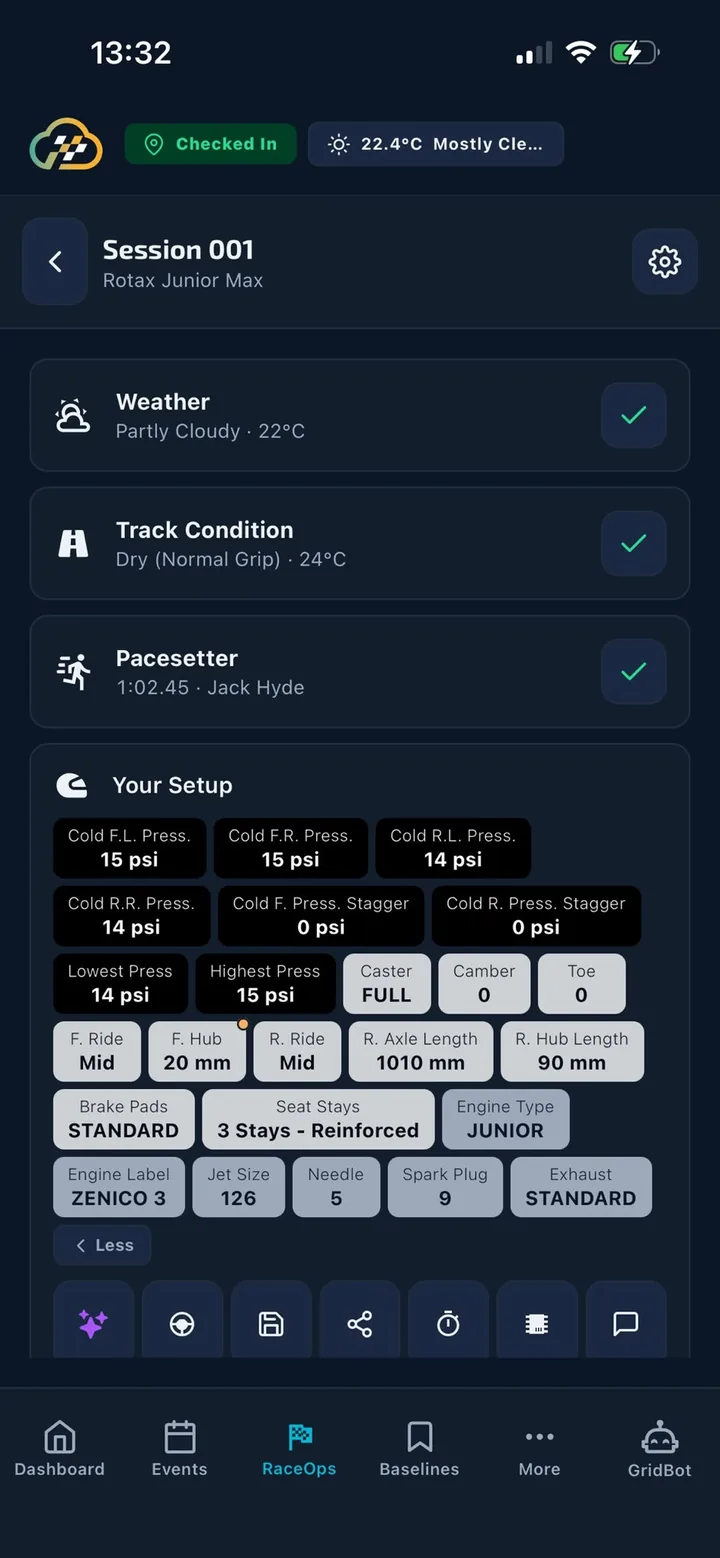
Every driver, parent and mechanic on the team can use the mobile app with the same data. A mechanic updates a setup on the laptop, and it shows up on the driver's phone within seconds.

The mobile app ›
The same session on a driver's phone

See it with your own team.

A short walkthrough of the web app, set up around your drivers and your season. Or create a team yourself in minutes.

Book a demoGet started free